
Home solar
Understand system scale, production and economics before you request quotes.
Private planning. Practical numbers.
Size panels and batteries, model monthly output, and compare cost, payback and ROI for grid-tied, hybrid or off-grid systems—all in one private plan.
The App Store listing is not available yet.
Powerful solar planning starts free. Pro unlocks the complete toolkit.
Core plan output
Grid-tied
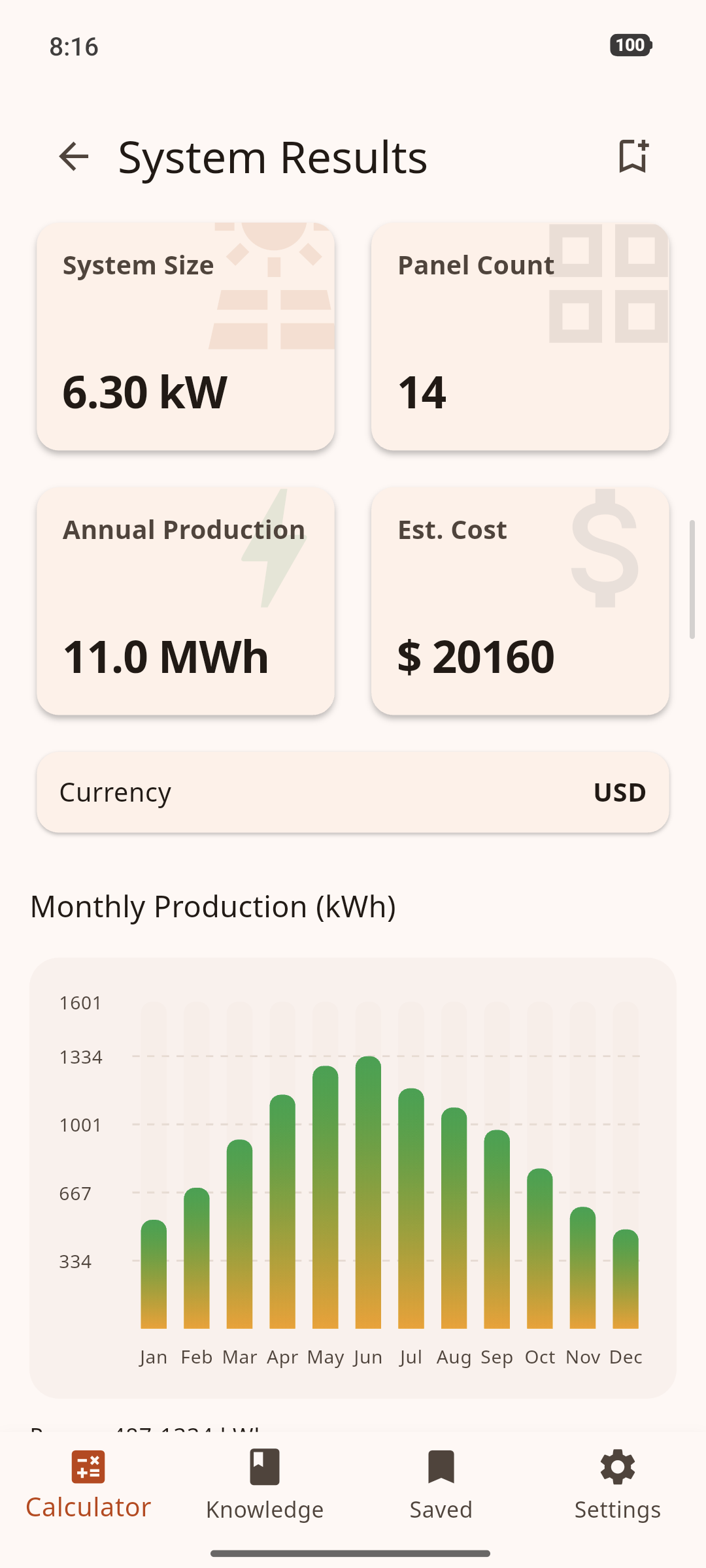
14 panels
A real calculation from the current Android app
Panels, inverter and battery capacity.
Monthly, annual and winter-aware output.
Upfront cost, local assumptions and first-year savings.
Payback, 25-year ROI and LCOE.
Enter your monthly electricity use.
Model panels, batteries and site conditions.
See production, cost, ROI and payback.
Start free. Build with Pro.
Start free with everything needed to size panels and batteries, model production and costs, and estimate payback. Pro turns each calculation into a complete professional workflow—with Scientific mode, deeper engineering control, polished PDF reports, CSV export and a library for up to 200 saved calculations.
No account. No ads. Your calculations and saved projects stay on your device.
Unlock Pro with monthly, annual or lifetime access.
Authentic screens from the current Android release.
System size and panel count
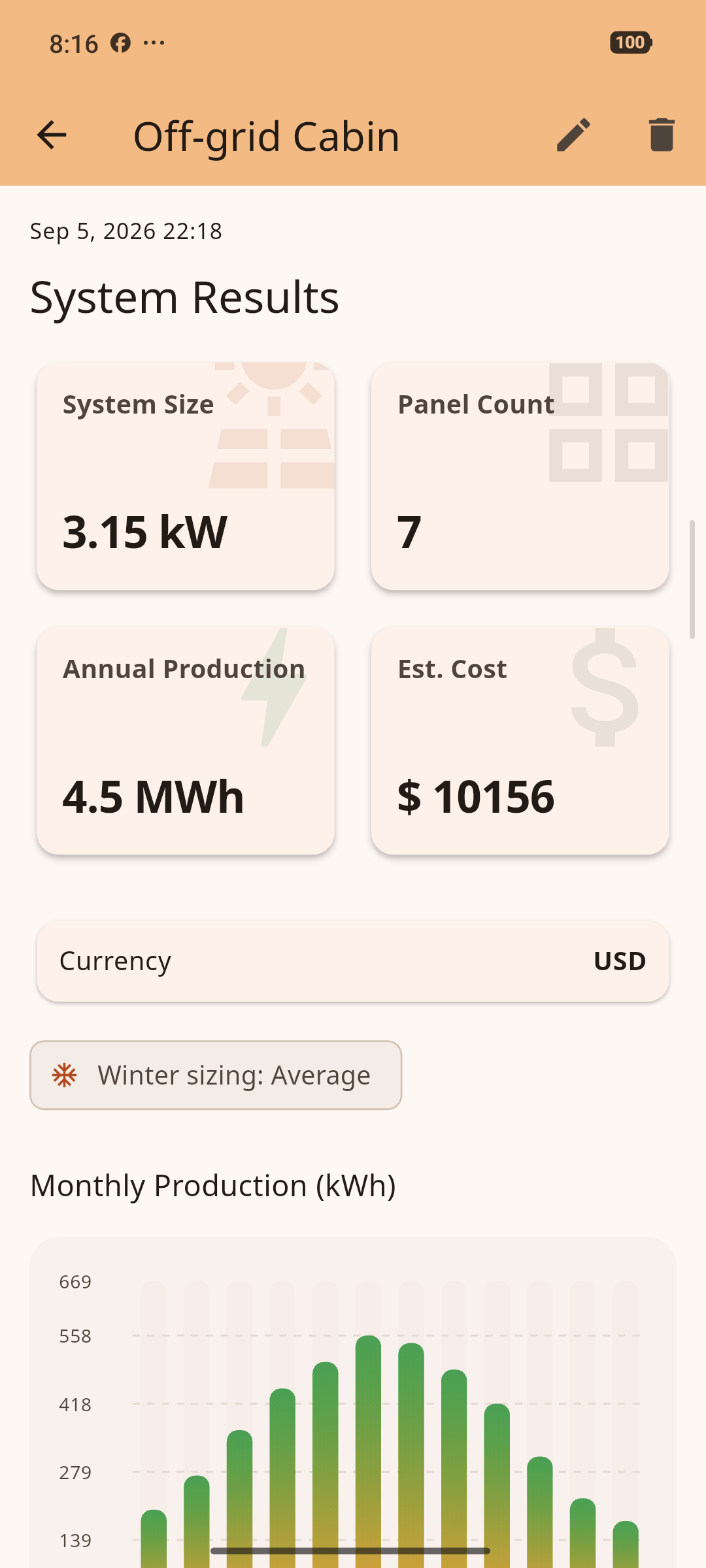
Annual sizing for an off-grid cabin
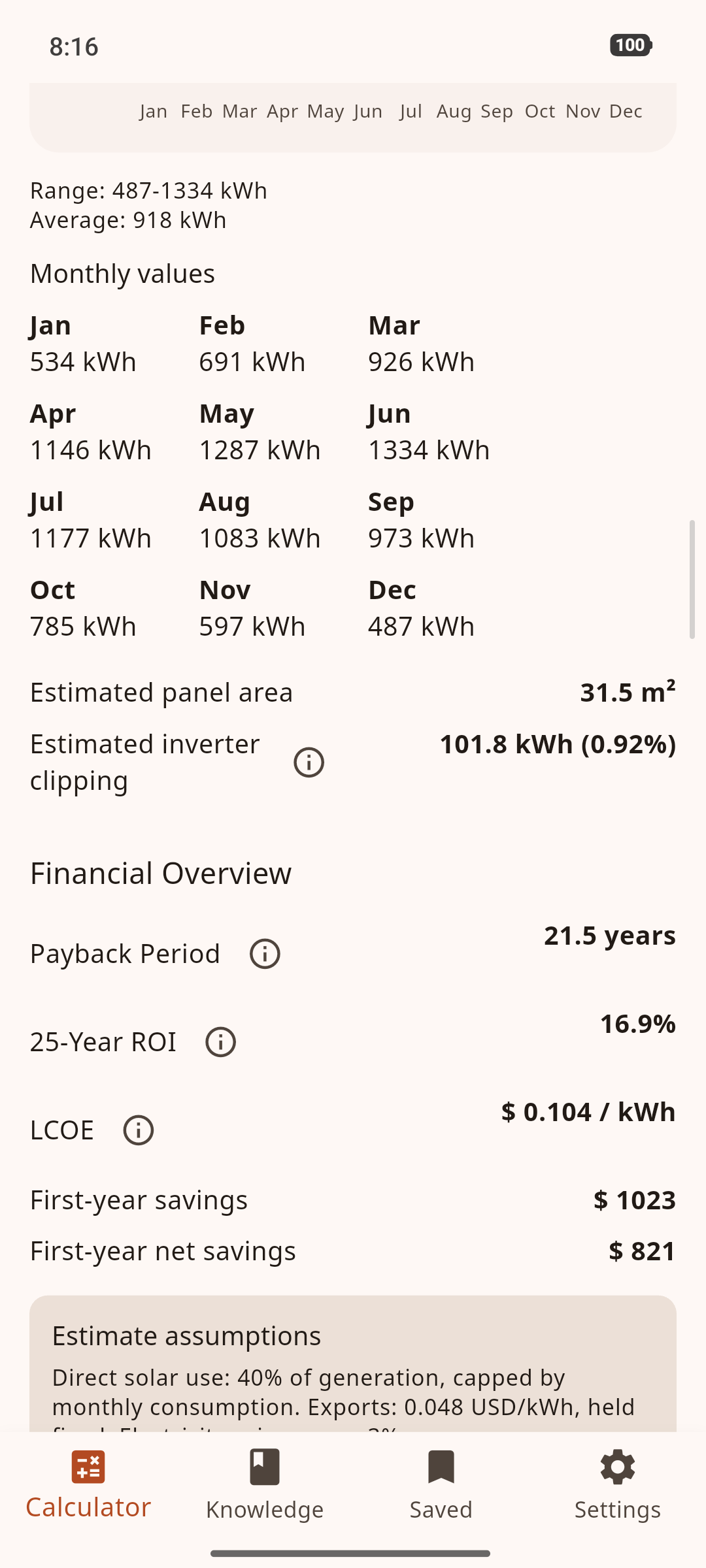
Cost, ROI and payback
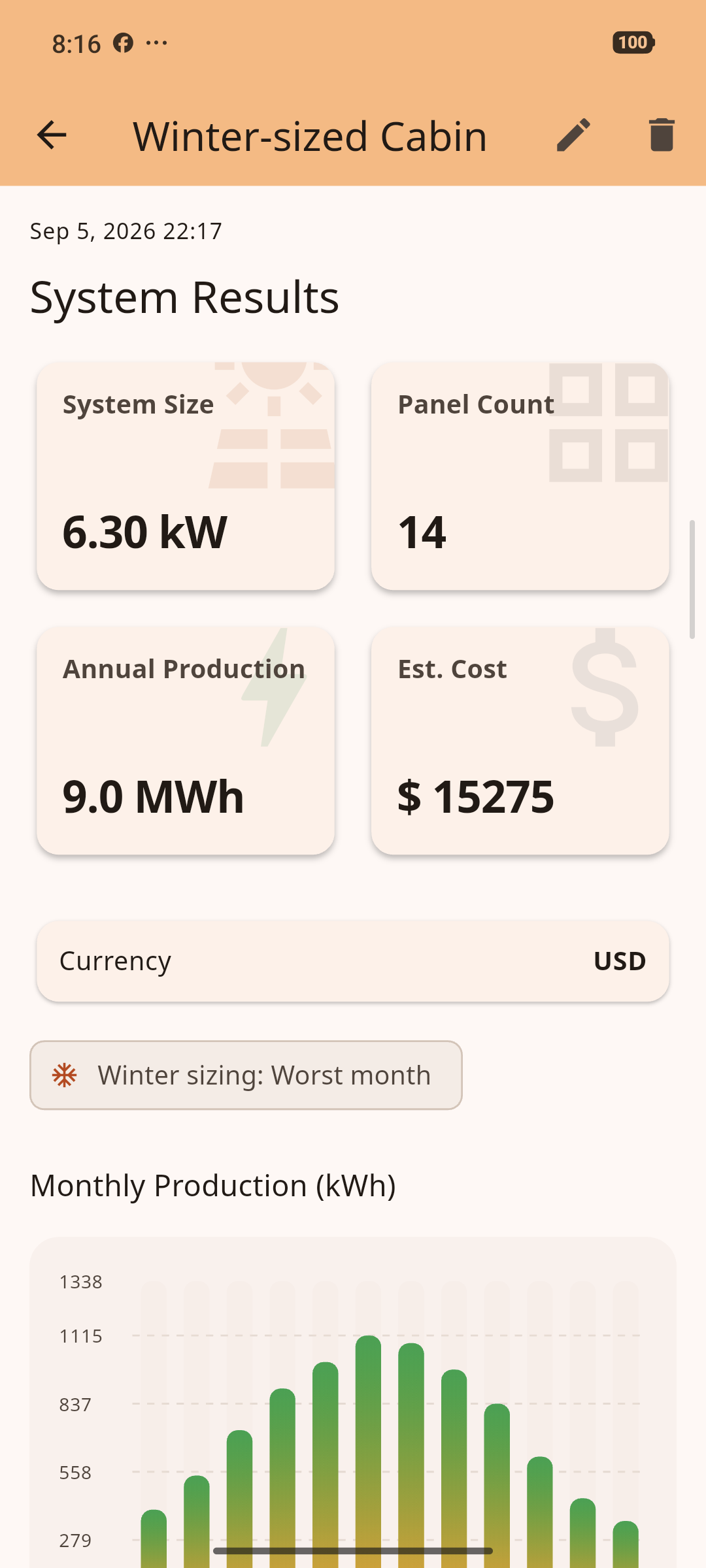
Winter sizing for an off-grid cabin
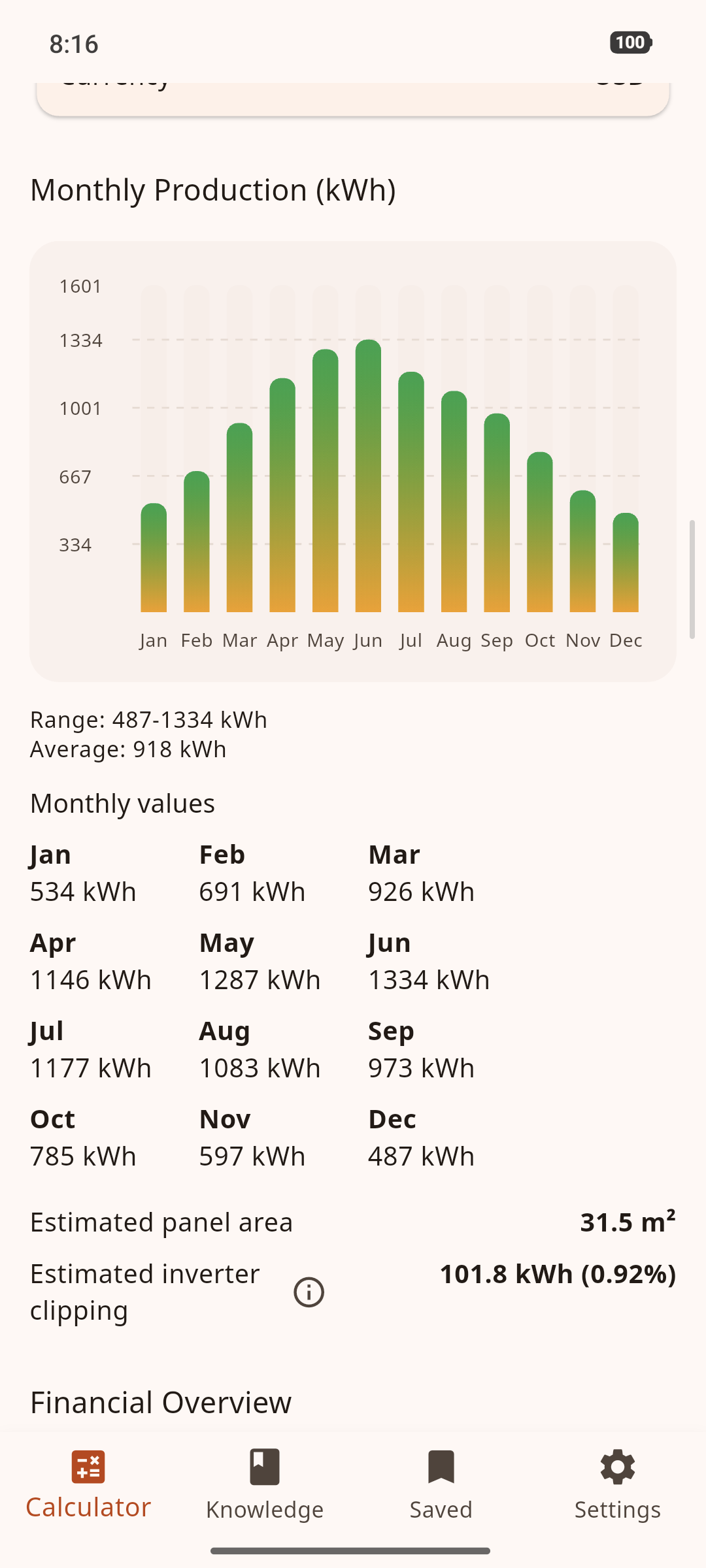
Monthly production
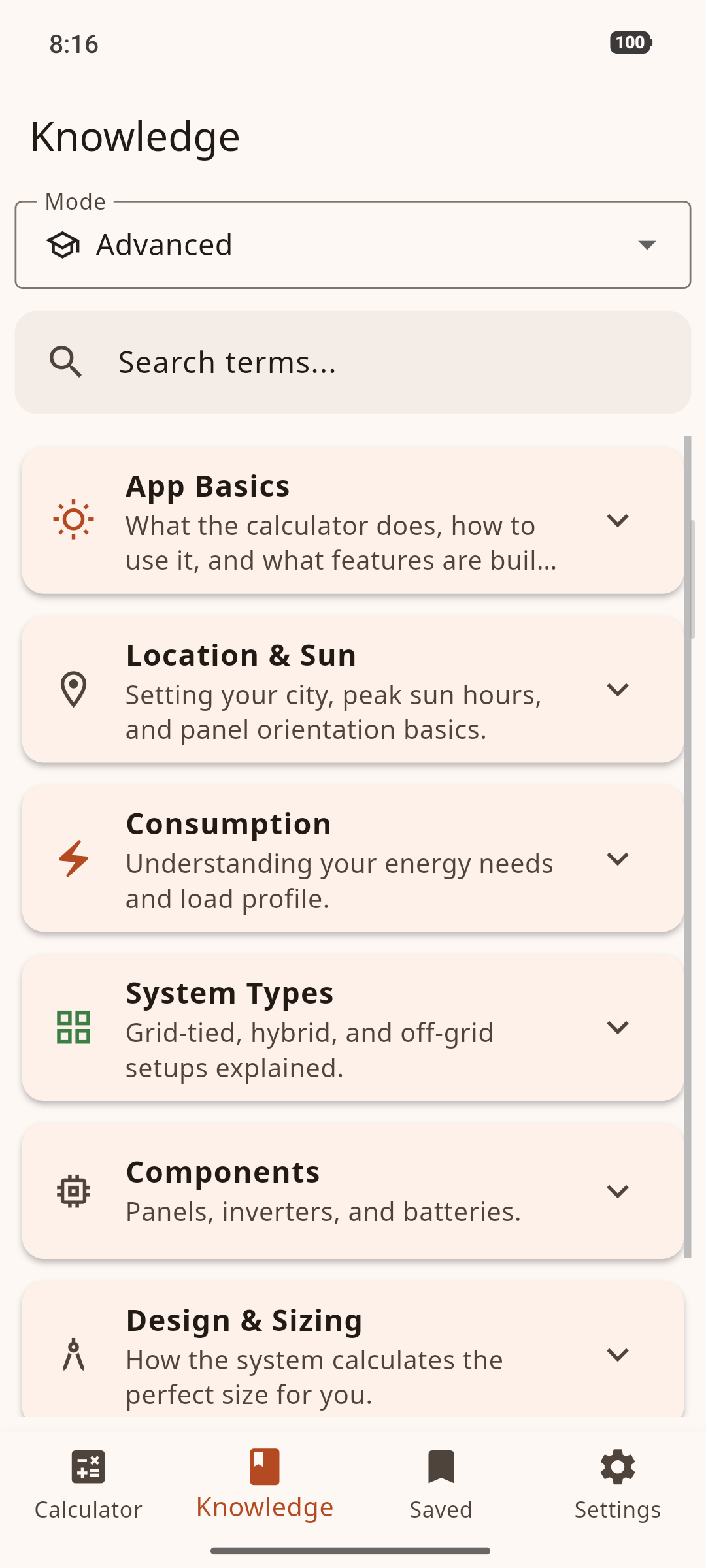
Solar terms, from simple to scientific

Scientific controls Pro
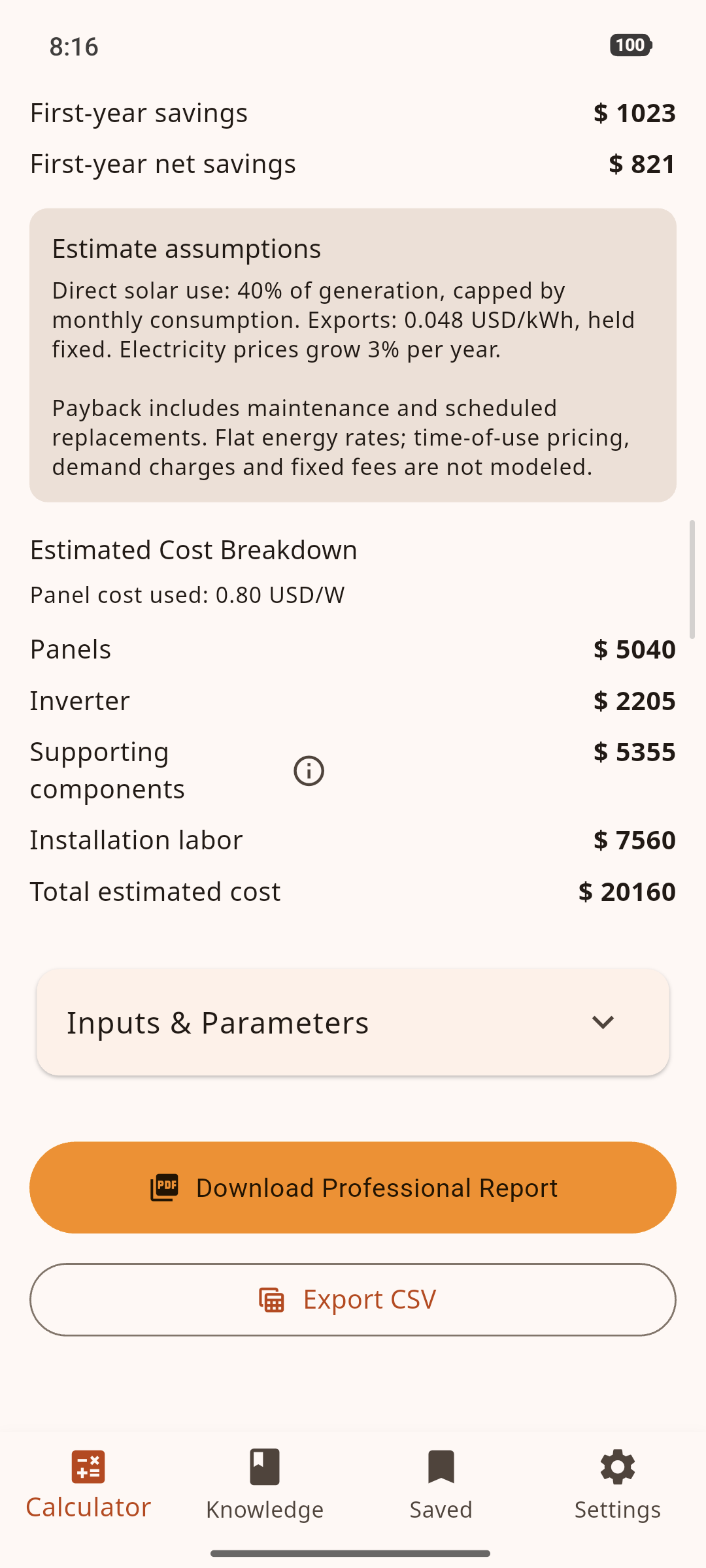
PDF and CSV export Pro
Understand system scale, production and economics before you request quotes.
Compare battery chemistry, usable capacity, autonomy and winter worst-month sizing.
Turn site-specific assumptions into repeatable professional work with Scientific controls, PDF and CSV output, and up to 200 saved calculations in Pro.
Open PVNomics and start planning immediately. Your calculations and saved projects stay on your device, so you stay in control while you explore and compare solar options.
PVNomics combines historical solar-resource data with clear equipment assumptions and real-world loss factors. Key inputs are visible and adjustable, so you can understand what drives each result and compare scenarios with confidence.
The free version gives you a strong first plan: Simple and Advanced modes; grid-tied, hybrid and off-grid systems; panel, inverter and battery sizing; monthly, annual and winter-aware production; cost, first-year savings, ROI, payback and LCOE; plus the built-in knowledge base. You can save one calculation locally and see PVNomics at work before moving to Pro.
No. There is no sign-up and no account. Install the app and start calculating.
No. PVNomics is ad-free. Pro purchases support continued development and unlock the complete professional toolkit.
Pro turns PVNomics into a complete professional workflow. Unlock Scientific mode with manual peak-sun-hour and engineering overrides, create share-ready PDF reports branded with your name or company, export CSV data, and build a library of up to 200 saved calculations. It is designed for deeper analysis, polished deliverables and ongoing project work.
Choose monthly, annual or lifetime Pro access. Google Play shows localized prices in your currency. Subscriptions renew unless you cancel them in your Google Play settings; lifetime is a one-time purchase and does not renew.
Yes. Calculations run on your device. Every city in the built-in database includes offline monthly NASA POWER climatology. If you use GPS elsewhere, the app can calculate immediately with an on-device latitude-based estimate and, when you choose, refresh the historical solar data online.
GPS is used only when you ask the app to detect your site. For an optional online solar-data request, coordinates are rounded to 0.01° before they are sent, and the result is cached on your device.
The app uses historical solar-resource data, equipment assumptions and documented loss factors. Results are planning estimates—not guaranteed production or quotes. Verify with a professional installer before you buy.
Calculator inputs and saved projects are stored on your device. Clearing the app’s data or uninstalling removes them, so note important results first.
Open the app settings and use Restore Purchases on a device signed in with the same Google Play account. Purchases do not transfer between Google Play and the App Store.
Calculate your first scenario in minutes, then unlock Scientific controls, professional PDF reports, CSV export and a 200-calculation library with Pro.
Get it on Google Play